
GlockApps Email Verifier
"Clean Your List from Bad Email Addresses and Invalid Domains and Increase Your Email Campaign Performance by Focusing only on REAL Prospects"
List hygiene plays a role in the delivery race. It is important to maintain a clean mailing list and remove bounced, undeliverable emails because a lot of ISP mail servers have been known to block a sender's email domain for repeatedly sending messages to non-existing email addresses.
If you are getting too many bounces, undeliverables, complainers, and being blocked as a result, GlockApps Email Verifier can help when nothing else will.
Click here to watch the video on how to verify emails with the GlockApps Email Verifier
Simple Email Validation
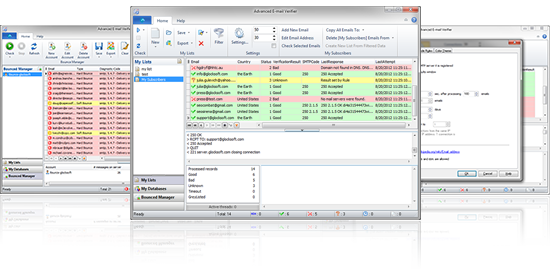
GlockApps E-mail Verifier will check every email address from a database or a mailing list and determine if the e-mails are still valid. Our email verification software is an easy to use, powerful, and reliable utility to verify and clean up your mailing list.
Just follow these 3 simple steps:
Who Can Use this Email Validation Tool?
Advanced users who can install the AEV on a Windows server or VPS and setup proper PTR and Reverse DNS records on the server to emulate the SMTP server. Also, AEV can be used by beginners on local computers with dynamic IP if they use the verification through email validation API. This mode requires less time and efforts for configuration and works out of the box. Since the API key is provided by the 3rd party service (Swift Email Verifier), the user must buy the API key from them.
Note that the GlockApps Email Verifier is desktop software and the verification depends on the user’s IP address reputation and infrastructure that is why the price is much cheaper than various online email verifier services.
Easy Email Verification
- Use the email verifier to clear your email list or database from bounced and undeliverable email addresses, which thereby allows you update and keep your contact lists "clean" on a proactive basis. This means you can protect your email server domain from getting blacklisted and increase your email campaigns' performance.
- Decrease the Internet traffic and save your bandwidth which means you reduce your costs by focusing only on real prospects.
- Verify the email addresses directly from the database without import-export — you save a lot of time and manual work thanks to the email address verifier. Our email verifier can connect to any ODBC compatible database like MS Access, MS SQL, MYSQL, Oracle, etc.
- Quickly load mailing lists in program to check email validity — big time saver!
- Import email lists containing email addresses and other custom fields for verification from Paradox, DBase, Excel, Text (.CSV, Word HTML, Lotus 1-2-3, QuattroPro, XML, MS Access files, and DBISAM tables (.dat files) which means the email verifier will ensure that you don't lose any contact information, such as first name, last name, company, phone, address, etc.
- Quickly save the results generated by the email verification software to a text file — for your convenience you can save good and bad emails to different files.
- Export the email addresses together with custom fields to Paradox, DBase, Excel, Text (.CSV), HTML, Word, SYLK, DIF, Lotus 1-2-3, QuattroPro, SQL script, XML, MS Access, Rich text format files, and MS Windows Clipboard.
- Handle bounced messages and get high accuracy in list cleaning. GlockApps Email Verifier is the only email list cleaner program on the market that has the powerful built-in bounce handler and is able to process a large amount of bounced messages from POP3 and IMAP servers and from your local or network folders extracting the recipient's email address and original message subject — this means you can easily find the recipient in your database and take them off your list.
- Automatically delete auto-reply emails — GlockApps Email Verifier helps you keep your Inbox sane. You won't see "Out of office" and challenge-response email messages flooding your Inbox after each email campaign.
- Check email syntax — you can quickly run the verification of the email addresses syntax only without checking emails for validity.
- Sort and filter the email addresses through the email verification software, which means you can organize the contact information in the most convenient way for you.
- Safely save and recover your data — the email verifier works in a way so that you don't lose your email lists if your computer hangs in the middle of any operation.
Quickly Eliminate Invalid Emails
The primary reason why people purchase GlockApps Email Verifier is because it is way ahead of its competitors, has awesome features and, thanks to the ability to process large email lists and handle bounced emails, it guarantees almost 100% accuracy in detecting bad email addresses.
Those who run a mailing list over the Internet will find GlockApps E-mail Verifier (AEV) to be a very helpful tool to verify and validate email addresses. — ZDNet / Hotfiles.com review
Note that the email address verifier is fast, but not instantaneous. The speed depends on the size of your list, your connection to the Internet, and the speed of the Web. If your list is rather large, you can run it at night.
Is it possible to verify ALL emails with the GlockApps Email Verifier?
Although the GlockApps Email Verifier has a very good email validation success rate with most free email ISPs or ESP, it is simply not possible to guarantee a 100% accuracy level due to certain multiple factors beyond our control. The level of accuracy you can obtain depends on the inbound SMTP connection policy of the remote ISP or ESP, reputation of the incoming connecting IPs and many other factors.
The email addresses which could not be verified due to one reason or the other are marked by the program as "Unknown". These unknown results in most cases result from Greylisting which is technology that reduces spam by rejecting initial email delivery attempts. The Greylisting works by returning a "Temporarily Unavailable" message to the sending mail server the first (and only the first) time a message is received from a given sender. Hence, it makes sense to retry these validations again after some time has elapsed.
In addition, "Unknown" results can also result from the inability to verify the emails by simulating a message sending to the recipient email server because the recipient email server requires that a REAL message is sent. Thus, it is impossible to verify whether the address is good or not. You won't know definitively until the message bounces because these mail servers won't cooperate or cannot be checked without sending a real message to them.
To address this issue and save your time, we added certain domains that have been known to often refuse email validation attempts to the Rules settings in the GlockApps Email Verifier in order for the program to automatically mark all emails from such domains as "Unknown". Therefore, if your email lists contains email addresses from such non-cooperating email domains, the program may not be able to offer you 100% validation success. The success rate does fluctuate and there is no fixed guarantee.
To accommodate for this, the GlockApps Email Verifier includes an in-built bounce handling module that can be used to process the bounced emails to the unknown results list.
System requirements:
The GlockApps Email Verifier works on Windows XP/Vista/7/8, Windows Server 2008/11/12
To use the program on Windows 98, NT, or 2000, download gdiplus_dnld.exe.
No Linux version of the GlockApps Email Verifier is available.
Acceptable Use Policy: Our GlockApps Email Verifier is NOT to be used for verifying email lists extracted from the Internet as well as generated email addresses as this is against our acceptable use policy. Using the GlockApps Email Verifier to verify such email lists can result in your IP being blacklisted and you will risk your license terminated. You are strongly advised to use the GlockApps Email Verifier to validate your own opt-in email lists only.
Remove Bad Emails to Avoid Temporary Blocking
| #
[…] sending a message to them. At least, you will identify a portion of dead emails on your list. Download Advanced Email Verifier now and clean out your list before you email to […]
Why My Emails Get Blocked or Filtered: Causes and Solutions Inside
| #
[…] Verify your email list for validity. It's recommended to check your list for invalid, undeliverable email addresses before your first email campaign. After the email is sent, use the Bounced Manager module from G-Lock EasyMail to check your mailbox for bounced emails and remove bounces from your list. […]